
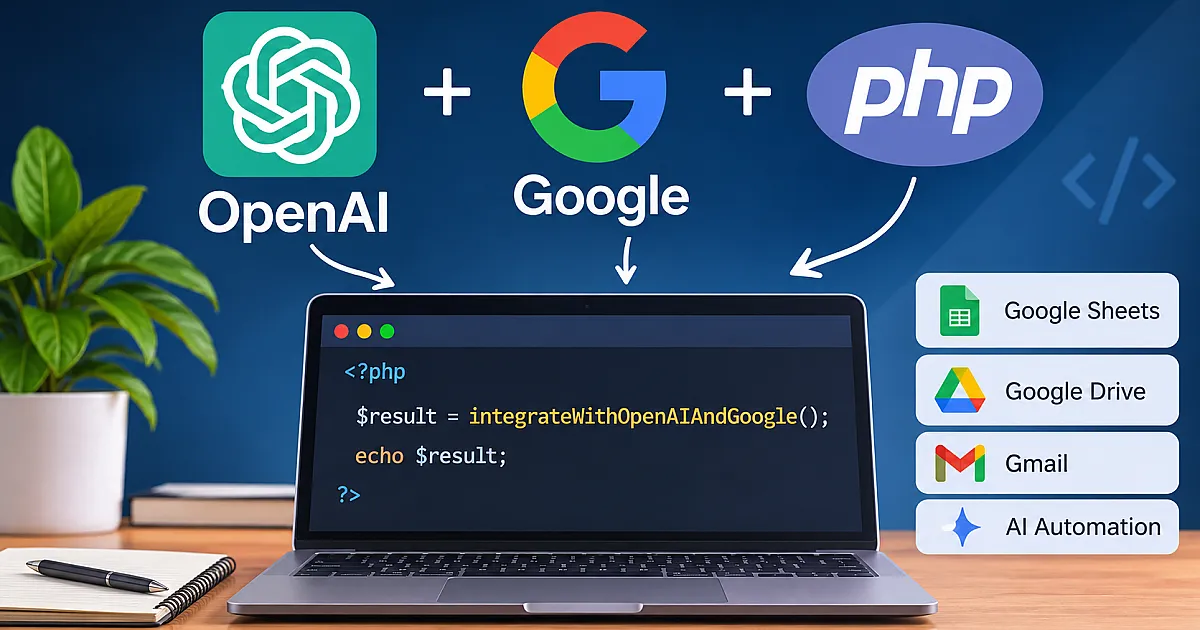

If you work with PHP and want to connect OpenAI with Google services, you can build much more than a basic chatbot. With a few well-structured PHP scripts, you can automate content generation, summarize Google Sheets data, process information from Google Drive, and build AI-powered workflows for business applications.
In this guide, I explain practical OpenAI Google PHP script hacks, how to connect both platforms through their APIs, and how to implement the integrations safely. Whether you are a PHP developer, Laravel developer, founder, or business owner, you will learn which approaches are worth using and which shortcuts to avoid.
What Are OpenAI Google PHP Script Hacks?
The term refers to practical PHP techniques that combine OpenAI's artificial intelligence APIs with Google's services. These are not unauthorized exploits or ways to bypass platform security. They are legitimate development shortcuts, automation techniques, and API integrations that help applications perform repetitive tasks more efficiently.
For example, imagine a business that stores customer feedback in Google Sheets. A PHP application can retrieve that information, send selected records to OpenAI for analysis, and save the generated summaries back into a spreadsheet.
Other useful applications include:
- Generating SEO descriptions and product content using OpenAI.
- Summarizing information stored in Google Sheets.
- Processing Google Drive documents with AI.
- Creating automated reports from business data.
- Generating email drafts from customer support records.
- Building AI-powered internal dashboards.
- Classifying customer messages and extracting structured information.
The important idea is to let Google handle the services where your business data lives and let OpenAI handle the AI processing. PHP connects the two systems and controls the workflow.
1. Connect OpenAI to PHP Using Its API
The first step is establishing communication between your PHP application and OpenAI. You do not need a complicated framework to make your first request. PHP's cURL extension can send an authenticated HTTP request directly to the OpenAI Responses API.
First, create an API key through the OpenAI API platform. Store it in an environment variable rather than placing it directly inside your PHP source code.
Here is a basic PHP implementation using PHP 8.1 or later:
<?php

function askOpenAI(string $prompt): string
{
    $apiKey = getenv('OPENAI_API_KEY');

    if (!$apiKey) {
        throw new RuntimeException('OpenAI API key is missing.');
    }

    $payload = [
        'model' => getenv('OPENAI_MODEL') ?: 'gpt-6-luna',
        'input' => $prompt,
    ];

    $ch = curl_init('https://api.openai.com/v1/responses');

    curl_setopt_array($ch, [
        CURLOPT_POST => true,
        CURLOPT_RETURNTRANSFER => true,
        CURLOPT_HTTPHEADER => [
            'Content-Type: application/json',
            'Authorization: Bearer ' . $apiKey,
        ],
        CURLOPT_POSTFIELDS => json_encode($payload),
        CURLOPT_TIMEOUT => 60,
    ]);

    $response = curl_exec($ch);
    $status = curl_getinfo($ch, CURLINFO_HTTP_CODE);

    if ($response === false) {
        $error = curl_error($ch);
        curl_close($ch);
        throw new RuntimeException($error);
    }

    curl_close($ch);

    $data = json_decode($response, true);

    if ($status < 200 || $status >= 300) {
        throw new RuntimeException(
            $data['error']['message'] ?? 'OpenAI request failed.'
        );
    }

    foreach ($data['output'] ?? [] as $item) {
        if (($item['type'] ?? '') !== 'message') {
            continue;
        }

        foreach ($item['content'] ?? [] as $content) {
            if (($content['type'] ?? '') === 'output_text') {
                return $content['text'];
            }
        }
    }

    throw new RuntimeException('No text output was returned.');
}

$answer = askOpenAI('Explain three benefits of Laravel for business applications.');
echo htmlspecialchars($answer, ENT_QUOTES, 'UTF-8');
This example uses the Responses API rather than older integration patterns. The model is configurable through OPENAI_MODEL, so you can change it without modifying the application code. The selected model must be available to your API account.
For production applications, also consider retries for temporary failures, rate limits, request logging, and sensible limits on prompt length. Never display raw API errors or credentials to website visitors.
2. Connect PHP to Google Services
Google provides APIs for services such as Sheets, Drive, Gmail, Calendar, and YouTube. Instead of manually building every authentication and HTTP request, PHP developers can use Google's official API client library.
Install the library through Composer:
composer require google/apiclient:^2.15Google's OAuth 2.0 documentation specifies PHP 8.0 or later for its documented PHP examples. The library also requires Composer and the PHP JSON extension.
For a server-side application that needs to access a Google Sheet owned by your business, a service account is often a practical option. For access to individual users' private Google data, use the appropriate OAuth 2.0 authorization flow and request only the permissions your application needs.
To prepare a Google Sheets integration:
- Create a project in the Google Cloud Console.
- Enable the Google Sheets API.
- Create an appropriate service account credential.
- Download the service account credentials securely.
- Share the target spreadsheet with the service account email address.
- Store the credentials outside the public web directory.
Here is a simple example that reads data from a spreadsheet using a service account:
<?php

require_once __DIR__ . '/vendor/autoload.php';

$client = new Google\Client();
$client->setApplicationName('PHP Google Sheets Integration');
$client->setScopes([
    Google\Service\Sheets::SPREADSHEETS_READONLY
]);
$client->setAuthConfig(getenv('GOOGLE_APPLICATION_CREDENTIALS'));

$sheets = new Google\Service\Sheets($client);

$spreadsheetId = getenv('GOOGLE_SPREADSHEET_ID');
$range = 'Sheet1!A1:C20';

$response = $sheets->spreadsheets_values->get(
    $spreadsheetId,
    $range
);

$rows = $response->getValues() ?? [];

foreach ($rows as $row) {
    echo htmlspecialchars(
        implode(' | ', $row),
        ENT_QUOTES,
        'UTF-8'
    ) . PHP_EOL;
}
The example uses read-only access because it only retrieves spreadsheet information. If your application needs to update cells, use the appropriate read/write scope and implement the write operation separately.
3. Combine OpenAI and Google Sheets in One PHP Script
This is where the integration becomes particularly useful. Instead of using OpenAI and Google APIs independently, you can build a workflow in which one service provides the data and the other processes it.
Consider a product management application that stores customer feedback in Google Sheets. You want to generate a short summary of each feedback record without manually reviewing every entry.
The workflow looks like this:
- PHP authenticates with Google.
- The application retrieves customer feedback from a spreadsheet.
- PHP prepares a controlled prompt containing the selected feedback.
- OpenAI analyzes the information and generates a summary.
- The application stores the result in a database or a separate spreadsheet column.
Once you have the Google Sheets client and the askOpenAI() function from the previous examples, the processing logic can be quite small:
<?php

$feedbackRows = $sheets->spreadsheets_values->get(
    $spreadsheetId,
    'Feedback!A2:B20'
)->getValues() ?? [];

foreach ($feedbackRows as $row) {
    $customer = $row[0] ?? 'Unknown customer';
    $feedback = $row[1] ?? '';

    if (trim($feedback) === '') {
        continue;
    }

    $summary = askOpenAI(
        "Summarize this customer feedback in two sentences. " .
        "Do not invent information.\n" .
        "Customer: {$customer}\n" .
        "Feedback: {$feedback}"
    );

    echo htmlspecialchars(
        $summary,
        ENT_QUOTES,
        'UTF-8'
    ) . PHP_EOL;
}
This example demonstrates the integration and prints summaries rather than writing them back to the spreadsheet. A production implementation should use the Sheets API update or append operation to save the results, ideally in batches instead of making a separate write request for every record.
Also, treat spreadsheet content as untrusted input. A customer could submit text that attempts to manipulate the AI's instructions. Keep system instructions separate from user data, avoid giving the model unnecessary tools or permissions, and validate its output before taking business actions.
4. Useful OpenAI Google PHP Automation Hacks
Once the basic connection works, there are several ways to make the integration more useful without building an unnecessarily complicated system.
Automate SEO Content Generation
A PHP application can retrieve product names, descriptions, and categories from Google Sheets and send the information to OpenAI. The model can generate draft meta descriptions, product summaries, and FAQ suggestions.
However, generated content should go through human review before publication. AI-generated descriptions can contain inaccurate product claims, repetitive wording, or information that does not match the actual product.
Summarize Google Drive Documents
For document-processing workflows, PHP can use the Google Drive API to locate and retrieve authorized files. It can then extract supported document content and send relevant text to OpenAI for summarization.
Remember that Google Docs exports, PDF files, and other document formats require different handling. Large documents may also need to be divided into smaller sections before processing.
Build Automated Business Reports
Imagine collecting sales figures from Google Sheets and asking OpenAI to explain important changes in plain language. Your PHP backend can generate a report that includes key figures, summaries, and observations for a management dashboard.
For numerical accuracy, calculate totals, averages, and percentage changes in PHP or SQL. Use AI to explain verified results rather than relying on generated text to perform financial calculations.
Classify Customer Support Messages
You can send incoming support messages to OpenAI and request structured classifications such as billing, technical support, account access, or general inquiry. PHP can validate the returned result and save it to your application's database.
This is particularly useful in Laravel applications where messages can be processed through queued jobs instead of delaying the customer's request while an external API responds.
5. Security Practices for OpenAI and Google PHP Scripts
Quick scripts are useful for testing, but integrations handling real customer information need proper security controls. API credentials and access permissions deserve particular attention.
- Protect API keys: Store OpenAI keys and Google credentials in environment variables or a secure secrets manager.
- Restrict Google permissions: Request only the OAuth scopes needed for the actual feature.
- Keep credentials private: Never expose service account JSON files through public URLs or commit them to Git repositories.
- Validate API responses: Check HTTP status codes, JSON decoding results, and expected response fields.
- Control user input: Validate input length and treat imported spreadsheet and document content as untrusted.
- Limit API usage: Apply rate limits, request limits, and cost monitoring to prevent unexpected usage.
- Protect sensitive information: Avoid sending passwords, payment details, confidential customer records, or unnecessary personal data to external AI services.
- Log safely: Record request identifiers, execution times, and error categories without logging secrets or sensitive prompts unnecessarily.
One important distinction: a valid API key does not mean every request should be trusted. Your PHP application must still decide what data can be accessed, which operations are permitted, and whether an AI-generated result is safe to use.
6. Should You Use Plain PHP or Laravel?
Both approaches can work. The right choice depends on the size of your application and how frequently the integrations need to run.
| Requirement | Plain PHP | Laravel |
|---|---|---|
| Small API experiment | Simple and lightweight | More initial structure |
| Google and OpenAI integration | Works with Composer libraries | Works with HTTP and Google client libraries |
| Background processing | Requires additional implementation | Queues and jobs are available |
| Scheduled automation | Can use server cron jobs | Includes task scheduling support |
| Growing business application | Requires careful architecture | Provides established application structure |
For a small utility that runs occasionally, plain PHP is often sufficient. If you are building a larger application with user accounts, multiple integrations, scheduled tasks, and extensive business logic, Laravel usually provides a better foundation.
In my PHP and Laravel projects, I generally separate external API communication from application logic. This makes it easier to replace an API, test individual services, handle failures, and maintain the integration as the application grows.
For businesses building connected applications, my full-stack development services cover backend and frontend development, API integrations, and application functionality.
7. Common Problems When Connecting OpenAI and Google APIs
Even a correctly written PHP script can fail because of authentication settings, API permissions, network problems, or unexpected response formats. Here are some common issues and their solutions.
Authentication Errors
A 401 response from OpenAI usually indicates an authentication problem, such as a missing or invalid API key. Google authentication errors can result from expired access tokens, incorrect credentials, or an incomplete OAuth configuration. Check the relevant credentials before changing your application logic.
Google Permission Errors
If your service account cannot access a spreadsheet, check whether the spreadsheet has been shared with its service account email. Also confirm that the Google Sheets API is enabled and that the configured scope allows the requested operation.
Unexpected AI Responses
Do not assume every OpenAI response contains the exact text structure your application expects. Check output item types, handle missing content, and validate the result before saving it. If your application requires predictable data, consider using structured output features supported by your selected model.
Slow API Requests
External API calls can take longer than normal database operations. Avoid performing lengthy AI requests directly inside a page-loading process when they are not required for the immediate response. Use a queue, cache reusable results, and apply reasonable timeouts.
8. A Better Architecture for Production PHP Integrations
When an integration moves beyond experimentation, I recommend organizing it into separate responsibilities rather than keeping every operation in one PHP file.
A practical Laravel architecture might look like this:
- OpenAIService: Handles AI requests, model configuration, and response processing.
- GoogleSheetsService: Handles Google authentication and spreadsheet operations.
- IntegrationJob: Runs time-consuming API operations in the background.
- IntegrationController: Accepts validated requests and starts the appropriate workflow.
- Database: Stores processing status, results, and relevant audit information.
This separation helps prevent external API dependencies from spreading throughout your application. It also makes unit testing easier because you can mock the services instead of making real API requests during every test.
Another useful improvement is idempotency. If a queued job runs twice because of a timeout or retry, it should not create duplicate reports or repeatedly process the same spreadsheet records. Track processed record identifiers and use appropriate database constraints.
Conclusion
OpenAI and Google APIs provide useful building blocks for PHP developers who want to automate repetitive tasks and create smarter business applications. With PHP, you can connect AI-powered text generation, document processing, spreadsheet analysis, and business reporting in one controlled workflow.
The most useful OpenAI Google PHP script hacks are not complicated tricks. They are well-designed API integrations that save time, protect sensitive information, and produce results your application can reliably use.
Start with one clearly defined task, test the API connections independently, and then combine them into a maintainable workflow. As requirements grow, move repeated integration logic into dedicated services and background jobs rather than allowing a simple script to become difficult to maintain.
That approach gives you a practical foundation for building reliable AI-powered PHP and Laravel applications for businesses of different sizes.



Comments
No comments yet. Did this work for you, or did you hit something different? Ask below.
Leave a comment
Comments are reviewed before they appear. Your email is never shown.